






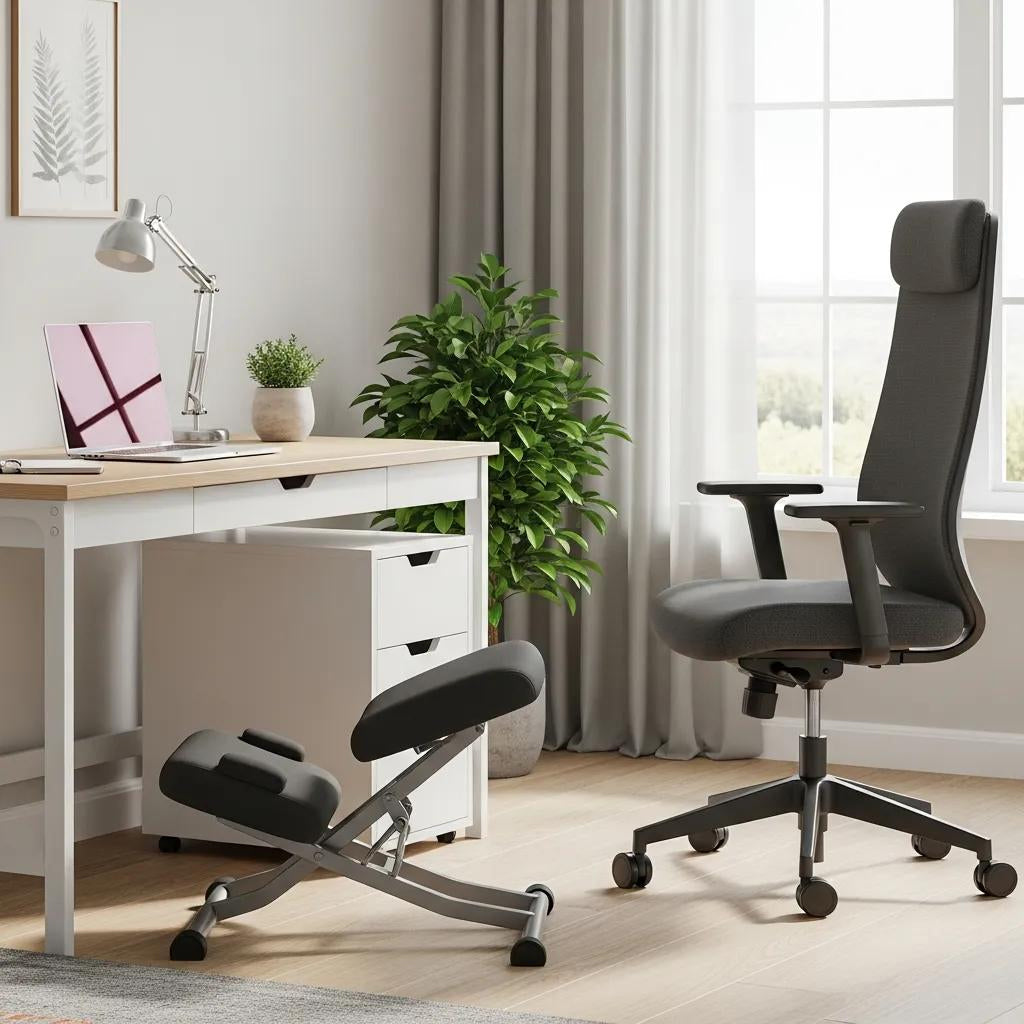
Ergonomic Kneeling Chairs vs Traditional Office Chairs — which helps your posture and eases back pain?
Kneeling chairs and conventional office chairs both aim to achieve the same goal: to help maintain spine alignment and reduce the strain that can lead to posture-related back pain. This guide breaks down how each chair works, the key ergonomic ideas behind them, and practical advice for choosing the right seat for your home or hybrid workspace. You’ll learn what a kneeling chair does and how it supports active sitting, which features on a traditional office chair reliably help your lower back, how our designs fit into a wider wellness approach, and a direct comparison of benefits to help you decide. We also cover how to choose based on your body size, what tasks you do, and your movement habits, and suggest complementary accessories to round out a healthy workstation. By the end, you’ll have a short checklist to test chairs in person or evaluate product pages so you can match a seat to your specific back pain patterns and productivity needs.
What are ergonomic kneeling chairs, and how do they support active sitting?
A kneeling chair uses a forward-tilted seat and knee pads to encourage an open hip angle and a more forward pelvic position. This forward tilt can help your torso sit better over your pelvis, which may reduce pressure on your lower back and help your spine stay in a more neutral position. Typical features include a tilted seat, knee bolsters or pads, and sometimes a gently rocking or weighted base to allow small movements. Kneeling chairs promote active sitting by letting you make micro-movements and shifting some of the work of holding your posture onto your core muscles. Below are the main features to look for when assessing kneeling chairs for a home office.
- Forward-tilted seat pan: encourages a slight forward pelvic tilt and helps lengthen your spine.
- Knee bolster or pads: stabilise your lower limbs while supporting an upright posture.
- Rocking or angled base: allows subtle motion and quick posture resets.
How does a kneeling chair boost core engagement and spinal alignment?

By tilting the seat forward, a kneeling chair makes it less likely you’ll round your lower back and encourages your abdominal and back muscles to work to stabilise your trunk. This gentle, ongoing muscle activation helps keep your spine in a more natural S-curve and can reduce the feeling of pressure in your lower back during short to moderate sitting periods.
To sit well: place your pelvis slightly forward on the seat, keep your knees lower than your hips, and allow small, frequent movements rather than sitting rigidly still. This approach builds muscle endurance and avoids prolonged pressure on your back tissues.
Key benefits and things to consider with kneeling chairs
Kneeling chairs often improve upright posture, increase micro-movement, and change how pressure is distributed, which some people find relieves mild lower back discomfort. Many people notice better posture awareness and less slouching during initial use. That said, kneeling chairs usually lack full arm support and a full backrest, so they’re rarely ideal for all-day, uninterrupted use. The kneeling position can also put pressure on the shins or the knee area for some body types. Start with short trial sessions (20–40 minutes) and increase gradually to see whether the active-sitting pattern suits your tasks and body. Combining a kneeling chair with a traditional chair or a sit–stand routine often gives the best balance of movement and sustained comfort.
In our range, you’ll find kneeling chair options designed as portable, alignment-minded active-sitting choices. We always recommend testing the fit and comfort before committing.
What defines traditional ergonomic office chairs, and how do they support comfort?
A traditional ergonomic office chair is built around multiple adjustments — lumbar support, seat height and depth, armrests, and recline — so you can tune the chair to your body and tasks. This adjustability helps distribute pressure, support neutral joint positions, and reduce localised strain during long sitting periods by accommodating different body shapes and movement habits. These chairs usually offer a full backrest to support your upper and lower back, cushioned seat pans for pressure distribution, and mechanisms that allow tilt and recline. When set up correctly, a traditional chair reduces the need for sustained muscular effort through mechanical support while still allowing movement through tilt and recline features. The table below shows common chair features and their ergonomic effects.
Matching chair features to specific ergonomic goals makes it easier to compare models or set up your workstation.
| Feature | What it affects | Benefit |
|---|---|---|
| Adjustable lumbar support | Lower-back curvature and contact | Helps maintain natural spinal curve and lessen lower back strain |
| Seat height and pan depth | Hip and knee angles | Keeps feet flat and supports thighs correctly |
| Armrest adjustability | Shoulder and forearm position | Reduces neck and shoulder tension during typing |
| Recline/tilt mechanism | Spinal load distribution | Enables pressure shifts and quick posture breaks |
Which office chair features matter most for lumbar health and adjustability?

Adjustable lumbar support is important because it lets you place support where your lower back curve needs it, helping prevent slouching that can increase pressure on your spinal discs. Seat height should allow your knees to sit near 90° with your feet flat; seat depth should leave two to three finger widths behind the knee to avoid compressing the back of the thigh. Armrests set to the right height and width keep shoulders relaxed and support forearm load during keyboard and mouse tasks. Recline or tilt features let you change posture frequently, which alters how your spine is loaded and reduces tissue fatigue. When you set up a chair, position the lumbar support around the level of your lower ribs or just above your belt line, set the seat height for a neutral knee angle, and use armrests to lightly support your forearms without shrugging your shoulders.
Common drawbacks and posture challenges with traditional chairs
Even with adjustments available, traditional chairs can encourage passive sitting if users set them once and stay static for hours, which defeats their ergonomic purpose and leads to slouching. Typical mis-settings include lumbar support positioned too low or too far forward, seat height that forces shoulder elevation, and armrests that stop the chair from fitting under the desk, causing awkward reaches. Relying on recline without keeping feet planted can shift load to your back tissues and reduce dynamic muscle engagement. For people who need more movement or have specific mobility issues, one traditional chair may not meet every need; alternating seating styles and adding movement breaks is usually more effective for long-term comfort and pain management.
How do our ergonomic chairs fit into a holistic approach to posture and wellbeing?
We see seating as one element of a broader wellbeing strategy that values natural alignment, movement, and compatibility with other ergonomic tools. Our design focus is on simple, practical choices — seat angle, support geometry, and accessory compatibility — rather than making medical claims. We encourage customers to see chairs as tools within a home-office wellness routine. Our range includes both kneeling chair options and traditional office chairs, emphasising alignment and adjustable features that suit a variety of users. This customer-focused approach reflects our Australian market roots and positions chairs to complement movement, hydration, and sleep as part of overall musculoskeletal health.
We prioritise subtle design cues that encourage neutral posture without insisting on a single “correct” position, and we recommend trying and tuning your chair. To check the fit, look at how the chair supports an upright pelvis, whether the seat angle allows comfortable micro-movement, and how well the chair pairs with a standing desk or monitor setup. This practical guidance helps you match a chair to your daily tasks and movement habits.
What design differences set our kneeling and office chairs apart?
We highlight features that promote natural alignment and accessory pairing: our kneeling chair options use a forward-tilted seat for active sitting and gentle core engagement, while our office chair options focus on multi-point adjustability for longer desk sessions. Material and geometry choices favour comfort for typical home-office duties and are intended to work alongside standing desks, laptop stands, and footrests. When comparing models, decide whether you need more core engagement (kneeling) or full back and arm support for long hours (office chair).
How do these chairs help with back pain and natural alignment?
We describe our seating as ergonomic aids that shift support and load through seat angle and adjustable contact points — changes that can reduce perceived strain for some users by encouraging a more neutral posture. If your lower back tends to round during desk work, a forward-tilted kneeling seat can encourage spinal extension; if you need steady arm support and continuous lower back contact for long workdays, an adjustable office chair will usually be a better fit. We focus on matching features to common pain patterns — for example, prioritising lower back adjustability for lower-back stiffness — and we recommend trials and combining chairs with movement routines. Thinking about how a feature changes posture and comfort helps you get better outcomes when you pair chairs with accessories and movement strategies.
Kneeling chair vs traditional office chair: main differences in health benefits
Both chair types affect posture and how your body is loaded in different ways: kneeling chairs encourage active sitting and core engagement, while traditional ergonomic chairs offer supported comfort for longer sessions through adjustability and back support. The trade-offs usually come down to how long you sit, whether you need arm support, and the balance you want between movement and mechanical support.
Here’s a quick comparison to highlight which chair type typically performs better for certain goals.
| Posture aspect | Kneeling chair | Traditional office chair |
|---|---|---|
| Posture correction | Promotes a forward pelvic tilt and more active core control | Supports a neutral spine using lower back support and recline |
| Lower back loading | Shifts pressure through seat tilt | Reduces muscular effort with targeted lower back support |
| Comfort for long hours | Less suited to uninterrupted, all-day use | Better for prolonged desk work with arm support |
| Adjustability | Limited height and arm options | Wide adjustment range to match body and tasks |
How do the chairs compare for posture correction and back pain relief?
Kneeling chairs can create immediate posture changes by tilting the pelvis forward and encouraging spinal extension, which, for some people, reduces the feeling of lower-back pressure in the short term. Properly adjusted traditional chairs provide continuous lower back support that reduces the need for ongoing muscular effort, making them effective at lowering discomfort during long work sessions.
Adaptation time matters: kneeling chairs normally require a break-in period and are best used for parts of the day, while traditional chairs depend on correct setup and regular movement breaks to avoid passive sitting. A sensible approach is to trial each style for several weeks during real work tasks and track changes in comfort, mobility, and focus.
Who should pick a kneeling chair or a traditional office chair?
Use simple guidance: if you like active sitting, typically work in short to moderate focused blocks, and want to promote core engagement, a kneeling chair may suit you. If you sit for long, uninterrupted periods, need steady arm support for keyboard work, or find knee pressure problematic, choose a traditional ergonomic office chair. People with mixed needs often do best by alternating chairs or using a sit–stand routine. If you have a specific medical issue, consult a healthcare professional for personalised advice and plan trial periods to confirm comfort and fit.
In our range, our kneeling chair options suit active-sitting short-to-moderate sessions, while our office chair options are built to support longer desk days with adjustable lower back features. Try products when possible and pair seating choices with movement strategies for the best results.
How to pick the right ergonomic chair for your home office
Start with clear criteria: your body size and proportions, the main tasks you do, how long you sit each day, and how the chair will work with your desk and accessories. The checklist below helps you match those criteria to chair features so you can test models efficiently and avoid common mismatches.
- Measure your desk and leg clearance: Make sure seat height and armrests fit under your desk, and let your feet rest flat.
- Match seat depth to thigh length: When seated fully back, leave 2–3 finger widths behind the knee.
- Prioritise adjustability for long sessions: If you sit most of the day, choose lower back, height, and armrest adjustments.
- Try forward tilt for active sitting: Test a kneeling or forward-tilt seat for short sessions before committing.
- Consider mobility and pressure points: If knees or shins are sensitive, choose a full-seat option with good cushioning.
Which factors should shape your choice based on body type and tasks?
Seat height should match your lower leg length so your feet are stable and your hips sit slightly higher than your knees for good circulation. Seat depth and cushion firmness should support thighs without pressing into the back of the knee; taller people often need deeper seat pans, while shorter people may need shallower seats or a forward edge. For heavy keyboard and mouse work, prioritise armrest adjustability and proximity to the desk to prevent shoulder elevation and wrist strain. Check the weight capacity and the chair’s adjustment range to ensure it fits your stature. When testing, spend at least 15–30 minutes doing typical tasks to see how the chair performs under real use.
How does active sitting support core health and productivity?
Active sitting encourages small, frequent movements that engage stabilising muscles and reduce static load on your body; this gentle activation can lessen stiffness and perceived fatigue across a workday. By prompting subtle shifts in weight and posture, active-sitting solutions raise your body awareness and make micro-breaks more likely, which can help focus and alertness. Practically, use active sitting in 30–60 minute blocks, alternating with traditional seating or standing to balance muscle work and rest. The aim is a sustainable movement that improves comfort and supports productivity, not prolonged static exertion.
Which ergonomic accessories complete your seating and wellness setup?
A well-considered ergonomic setup pairs the right chair with accessories that solve complementary issues — screen height, keyboard angle, foot support, and alternate postures — so the chair functions as part of a system rather than a standalone fix. The table below maps common accessories to their use cases and how they support different chair types.
| Accessory | Use case | How does it complement a chair |
|---|---|---|
| Standing desk | Alternate sitting and standing | Introduces posture variation and reduces continuous load |
| Laptop stand/monitor riser | Raise the screen to eye level | Prevents neck flexion when using shallow-seat options |
| Footrest | Shorter users or raised seat heights | Helps achieve the correct knee angle and lowers thigh pressure |
| External keyboard and mouse | Improve hand and wrist position | Decouples screen height from typing posture |
Which accessories create a balanced home-office ergonomic environment?
Accessories address misfits that seating alone can’t fix: a monitor riser prevents neck flexion if a kneeling chair raises your torso, a standing desk promotes posture changes, and a footrest corrects leg angles when seat heights are constrained. Pair an elevated monitor or external keyboard with a kneeling chair to keep your head and neck neutral, and keep kneeling sessions moderate. For traditional chairs, prioritise adjustable monitor height, keyboard trays, or armrest tweaks to keep hands and forearms aligned. Use two or three targeted accessories rather than many rarely used items, and choose solutions that encourage natural movement and posture variety.
How do standing desks and laptop stands work with ergonomic chairs?
Standing desks and laptop stands let you alternate postures, reducing continuous pressure and spreading the physical demands across different parts of your body. Aim for a rhythm of sit, stand, and move — short standing periods every 30–60 minutes combined with seated work that includes movement or micro-breaks. With a kneeling chair, raise the screen or use an external keyboard so your head and neck stay neutral while your pelvis is forward. With a traditional chair, set the seat height and monitor height so the top third of the screen sits at eye level and your forearms are roughly parallel to the floor. This coordinated setup maximises each chair’s benefits and cuts the risk of compensatory strain.
This guide has explained the practical comparisons and selection tools you need to choose seating that supports posture and reduces back pain in a home-office setting. Use the checklists and comparison tables as a starting point, trial seating in real tasks, and pair your chair with targeted accessories for the best long-term results.