





How a Walking Pad at Your Desk Improves Circulation, Posture and Productivity
What Are the Key Health Benefits of Using a Walking Pad at Your Desk?
Using a walking pad spreads light-to-moderate activity across your day. That small boost raises heart rate slightly, improves blood flow and reduces the health risks linked to long, uninterrupted sitting. Frequent, low-intensity movement supports heart health, helps steady blood sugar over time and eases the stiffness that comes from holding static postures. Regular slow walking also increases daily energy use enough to support weight management when paired with sensible eating, and it reliably breaks up long sedentary stretches that can impact your health. Below is a short table that links common health areas to how a walking pad helps and the realistic outcomes you can expect with consistent use.
Each area responds differently to light movement; the table helps you understand what to expect and guide your daily routine.
| Benefit Area | How it Helps | What You'll Notice |
|---|---|---|
| Cardiovascular health | More steps and a gentle, steady boost to your heart rate | Improved circulation and a reduced impact from sitting too much |
| Metabolic regulation | Burning a few extra calories and helping your body use glucose better | Better blood sugar control and a little extra calorie burn |
| Musculoskeletal health | More small movements and less constant pressure on your spine | Less stiffness, better joint comfort, and reduced lower back strain |
This quick mapping shows how modest, regular walking at your desk adds up to measurable health gains when part of an active workstation plan.
How Does a Walking Pad Improve Cardiovascular Health and Circulation?
A walking pad boosts cardiovascular health by increasing your total daily steps and keeping your heart rate gently elevated, which improves blood flow and supports vascular function. Light walking creates small amounts of gentle pressure that benefit blood vessels, and short, repeated sessions prevent the long periods of poor circulation that come from sitting. In practice, splitting 20–60 minutes of low-speed walking into several short sessions across the day is enough to notice circulation benefits and reduce numbness or cold hands and feet. Pairing regular pacing with good hydration and brief mobility breaks helps maintain steady blood flow and lowers the risks tied to long sedentary stretches.
Those circulation improvements naturally link to metabolic benefits and how walking pads can help with weight and glucose control.
Can Walking Pads Support Weight Management and Reduce Sedentary Risks?
Walking pads increase your daily energy use without the intensity of formal cardio. A gentle pace (about 2–4 km/h) for one to two hours spread through the workday can add a meaningful calorie burn compared with sitting, and it’s consistent use over time that produces weight management results. A walking pad isn’t a quick weight-loss fix on its own — combine steady daily walking with portion control and a few higher-intensity workouts each week for a practical, sustainable approach. Emphasising steady habits and realistic expectations prevents overuse and makes the walking pad an effective tool for reducing sedentary risk.
These metabolic gains lead to how movement also supports posture and musculoskeletal comfort while you work.
How Does a Walking Pad Enhance Posture and Ergonomics During Work?
Walking pads help posture by encouraging subtle core engagement and small weight shifts that reduce prolonged pressure on your lower back. When you walk slowly while working, your pelvis tends to stay closer to neutral, and your postural muscles engage more, which lowers the slumping that builds up from long sitting sessions. Matching the walking pad with the correct monitor height, desk surface position and wrist support keeps ergonomic alignment and reduces compensatory strain in the neck and shoulders. The points below explain the posture mechanisms and practical pairings that feed into pain-reduction strategies and desk integration.
- A walking pad introduces small movements that reduce continuous pressure on your spine during work.
- It encourages gentle core activation that supports upright alignment and reduces lower back bending.
- Alternating standing and slow walking spreads the load more evenly across joints than static sitting.
These ideas show how active movement changes load distribution and sets you up for safe integration with an ergonomic desk.
In What Ways Does Walking at Your Desk Reduce Back and Joint Pain?
Walking while you work eases back and joint discomfort by cutting static compression and improving fluid circulation in weight-bearing joints, which helps lubrication and reduces stiffness. Gentle, regular walking prevents the tightness and trigger points that come from staying in one position; instead, small repetitive movements produce more even tissue load and better mobility. In practice, 10–20 minute walking sessions every hour, plus occasional targeted stretches, are often enough to reduce morning stiffness and afternoon soreness. If pain continues, slow your progression and consult a physiotherapist — but for common postural aches, a walking pad is a highly practical relief tool.
Reducing pain through movement naturally leads to best-practice setup recommendations for pairing a walking pad with a standing desk.
How to Integrate a Walking Pad with an Ergonomic Standing Desk for Optimal Posture?
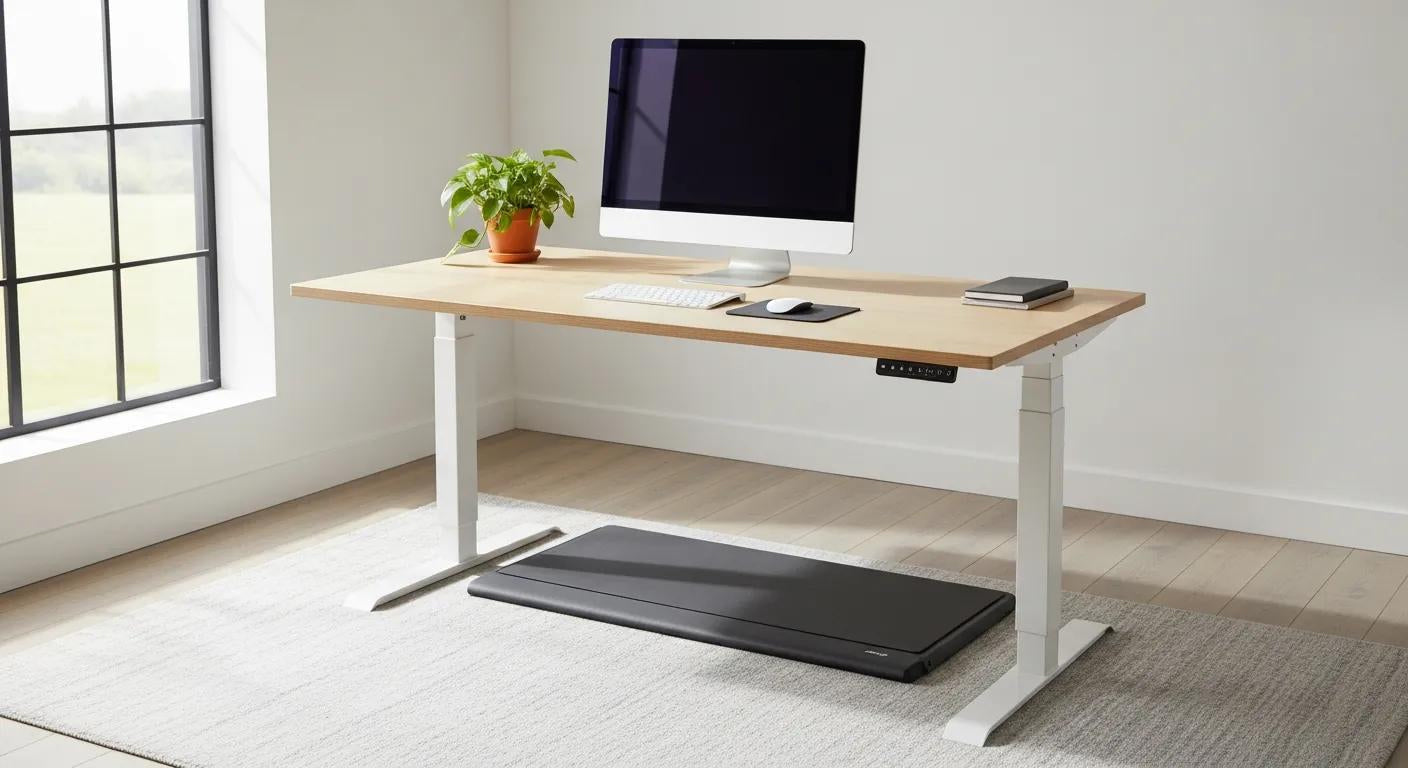
Start by setting your monitor so the top third of the screen sits at eye level and the keyboard sits just below elbow height for a slight forearm decline.
Your desk needs to be stable at the heights you use over the walking pad — wobble-free is essential. Add anti-fatigue mats, wrist supports and a low-resistance mouse to make ambulatory typing more comfortable.
Keep walking speed slow enough to type accurately, and alternate focused seated or stationary-stand blocks with walking sessions so your fine motor control stays sharp.
Minor gear adjustments, like a tilted keyboard tray or a small monitor riser, help translate posture improvements into less neck and wrist strain.
These setup steps point to specific product choices and accessories that stabilise posture and make an active workstation practical for day-to-day use.
What Mental and Cognitive Advantages Does Using a Walking Pad Provide?
Walking while you work can sharpen thinking by improving blood flow to your brain and triggering small boosts in your brain's natural feel-good chemicals, which lift alertness and mood during long stretches of work. Light movement increases blood flow to your brain and encourages the release of natural mood boosters, supporting creativity and sustained attention for many low-to-moderate tasks. Timing walking sessions to match task type — for example, walking during brainstorming and pausing for detail editing — gets the most cognitive benefit while minimising mistakes. The section below explains how to time sessions for better productivity and summarises walking pads on stress and mental well-being.
- Walking during creative work or brainstorming often helps idea flow and divergent thinking.
- Short walking sessions before focused blocks can prevent mid-afternoon slumps.
- Pairing slow walking with deep breathing or brief mindfulness cues reduces stress and helps maintain attention.
These points show how matching activity to task improves outcomes and leads to session timing tips.
How Does Walking at Your Desk Boost Focus, Creativity, and Productivity?
Light walking raises alertness by increasing blood flow and gently stimulating the nervous system, which counters the mental fatigue of long workdays. Many people find improved alertness and creative problem-solving after short walking periods, especially when those sessions are spread throughout the day. For peak productivity, use walking for ideation and big-picture thinking, and switch to seated or stationary standing work when precision and fine motor control are critical. A practical rhythm is 10–20 minutes of walking followed by 40–50 minutes of stationary focus — a balance that supports both creative activation and task accuracy.
These productivity approaches pair well with simple stress-management practices to further enhance mental well-being.
Can Walking Pads Help Reduce Stress and Improve Mental Well-being?
Walking pads reduce stress by encouraging the release of natural mood boosters and helping to manage stress caused by sedentary strain and cognitive fatigue — contributing to a steadier sense of wellbeing during the day. Combining slow walking with controlled breathing or short mindfulness prompts amplifies relaxation and creates useful mental breaks that interrupt rumination. Regular low-intensity movement also establishes a rhythm to the workday, which can make workloads feel more manageable and create small recovery moments between demanding tasks. Used alongside hydration and brief restorative breaks, walking pads are a practical part of workplace mental-health strategies.
These psychological benefits set up practical selection and setup guidance so you can use a walking pad safely over the long term.
How to Choose and Set Up the Right Walking Pad for Your Workspace?
When choosing a walking pad, prioritise stability, low noise, an appropriate speed range and a footprint that fits your desk. A good desk-friendly walking pad should have a quiet motor, a firm deck and reliable belt/motor components, a speed range suitable for typing (typically 0.5–4 km/h) and a compact or foldable design for storage. Safety features such as gentle ramp-up control, a remote and a clear emergency stop are important, and the pad must work with your desk height and monitor layout. The quick checklist and table below help you compare models and pick specs that match your workspace and how you work.
Keep these features in mind as you evaluate models, then use the recommended specs in the checklist to narrow choices.
- Low noise and smooth motor operation are essential for conference calls and concentration.
- Fine speed control determines whether you can type accurately while walking.
- Compact footprint and foldability affect storage and how the pad fits under your desk.
These priorities explain what to look for — the table below lists recommended specifications for desk-friendly walking pads.
| Feature | Why it matters | Recommended spec |
|---|---|---|
| Speed range | Supports typing while you walk | 0.5–4 km/h with fine speed increments |
| Noise level | Prevents distraction during calls | Under 60 dB at typical walking speeds |
| Footprint | Fits under desks and stores easily | Compact or foldable design |
| Stability (deck/belt) | Safe, even gait and long-term durability | Low deck deflection with quality belt and motor |
Use this checklist to narrow down models and confirm desk compatibility before you buy or set up.
Terra Wellness sells a Walking Pad in our Fitness Accessories range, and an Ergonomic Standing Desk engineered to pair with active workstations.
We position these items beside grounding mats, home saunas and hydration solutions as part of a holistic workplace-wellness approach — and we stand by the quality of our products.
These product examples show how integrated accessory choices can simplify setup and align with the ergonomic and recovery strategies described above.
With product pairing covered, next, we explain safe daily progressions for using a walking pad.
What Features Should You Look for in a Walking Pad for Desk Use?
Look for a walking pad with a quiet, low-vibration motor and a speed control that starts very slow so you can type and use a mouse comfortably. Compact or foldable models make storage underneath a desk easy, and a stiff deck with minimal flex preserves safe gait mechanics over longer sessions. Check for an emergency stop or remote control, clear speed increments and low-noise belts for distraction-free calls. Also, look for manufacturers that provide details on weight capacity and deck length so you can be sure of a natural stride and reliable long-term performance.
Those feature choices lead to safe incorporation strategies and a gradual beginner plan to avoid overuse.
How to Safely Incorporate Walking Pads into Your Daily Work Routine?
Begin conservatively: try 10–15 minutes of slow walking each hour, then increase total daily walking time slowly over several weeks until you reach one to two hours without fatigue. Watch your posture and typing accuracy, take seated breaks for tasks that require precision, and add short mobility exercises between walking sessions to protect joint comfort. Do daily safety checks for belt wear, loose fasteners and secure desk interfacing to avoid accidents, and progress slowly to prevent lower-limb overuse. If you feel persistent pain, dizziness or unusual symptoms, reduce intensity and see a health professional before continuing.
This gradual approach supports lasting adoption and prepares you to combine a walking pad with complementary wellness tools.
How Does a Walking Pad Complement Other Terra Wellness Products for Holistic Health?
A walking pad pairs naturally with recovery and holistic tools by adding movement before, during or after using complementary products like grounding mats, hydration solutions and home saunas. For example, a gentle walking session followed by a short grounding moment can aid recovery and calm, while sipping a hydration solution during or after walking helps maintain circulation and mental clarity. Terra Wellness groups these products in a broader wellness menu and focuses on natural, holistic habits; used together, they create routines that support performance, recovery and overall wellbeing. The table below maps specific Terra Wellness products to complementary benefits and suggests simple sequencing for combined use.
| Product | Complementary benefit | How to use together |
|---|---|---|
| Grounding mat | Recovery and calm | Use for 10–15 minutes after walking to support relaxation |
| Hydration solutions | Circulation and energy | Sip during walking sessions to maintain perfusion and alertness |
| Home sauna | Recovery and circulation | Use on alternate days after exercise to aid muscle recovery |
These pairings follow a simple sequence — move, recover, rehydrate — to extend desk-walking benefits into a wider wellness routine.
What Role Do Grounding Mats and Hydration Solutions Play Alongside Walking Pads?
Grounding mats help signal the body into recovery after active work sessions, supporting relaxation and helping your body switch into 'rest and digest' mode, while hydration solutions keep blood volume steady and help mental clarity during longer low-intensity movement. Ending a series of walking sessions with a grounding mat can aid recovery and complement mobility improvements, and sipping plain water or low-sugar electrolytes throughout the day sustains circulation and reduces fatigue. Together, these practices form a simple loop: light activity, rehydration and a short grounding recovery to sustain performance and restoration.
This sequence naturally leads to ergonomic accessories that stabilise posture while you walk and work.
How Can Ergonomic Accessories Enhance the Benefits of Active Workstations?
Accessories — an adjustable, stable standing desk, anti-fatigue mat, wrist supports and a solid monitor mount — amplify walking pad benefits by keeping joints neutral and supporting fine-motor tasks. A desk built to stay steady over a walking surface reduces wobble and keeps screens aligned, while anti-fatigue mats and wrist supports ease distal discomfort during longer sessions. Posture-support accessories also reinforce the gentle core engagement encouraged by walking, improving alignment and reducing compensatory strain. Thoughtful accessory choices complete an active workstation, so movement benefits translate into lasting productivity gains and less pain.
These accessory recommendations close the loop on choosing gear that makes walking pads practical for full workdays.